Technical SEO - a complete guide with checklist
Content and links mean nothing if Google cannot read your site. These are the technical fundamentals that decide whether you show up - explained without unnecessary jargon.
Contents
Technical SEO is the work of making a website easy for search engines to find, read and render. It is the foundation under all other SEO work: a site with brilliant content but broken indexing ranks worse than a mediocre site Google understands perfectly. This guide covers what actually affects rankings in 2026 - and ends with a checklist you can work through yourself. New to the topic? Start with What Is SEO?.
What is technical SEO?
Technical SEO covers everything that controls how search engines interact with your site - as opposed to content (copy, keywords) and off-page (links). Four areas cover most of it:
- Crawling - can Google’s bot reach all important pages via links and the sitemap, without robots.txt blocks?
- Indexing - do pages end up in Google’s index, with correct canonicals and no duplicates?
- Rendering - can Google run your JavaScript and see the same content as your visitors?
- Performance - do pages load fast enough to pass Core Web Vitals?
Core Web Vitals - Google’s speed metrics
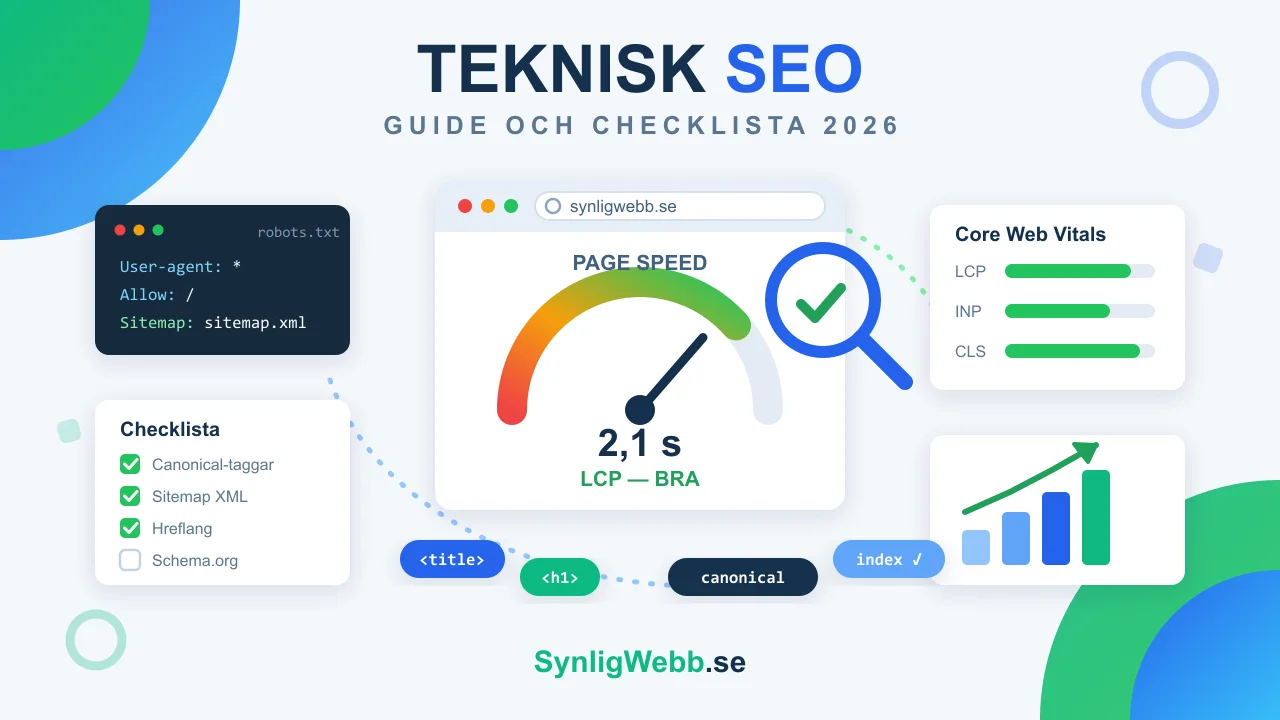
Core Web Vitals are three metrics Google has used as a ranking signal since 2021. They measure perceived speed, not theoretical speed:
| Metric | Good | Needs improvement | Poor |
|---|---|---|---|
| LCP - largest visible element loaded | ≤ 2.5 s | 2.5–4 s | > 4 s |
| INP - response time on interaction | ≤ 200 ms | 200–500 ms | > 500 ms |
| CLS - visual stability (layout shifts) | ≤ 0.1 | 0.1–0.25 | > 0.25 |
Google measures Core Web Vitals with field data from real Chrome users (CrUX), not just lab tests. A site that feels fast on your computer can be slow for visitors on older phones - and their experience is what counts.
The most common LCP culprits: images without declared dimensions, render-blocking web fonts, slow hosting and heavy JavaScript bundles. Measure each page in PageSpeed Insights and prioritise the templates with the most traffic.
Indexing: robots.txt, sitemap and canonical
Robots.txt
Robots.txt controls what search engines may crawl - not what gets indexed. A blocked page can still end up in the index if others link to it, just without content. The most common mistake: blocking CSS or JavaScript files so Google cannot render the page correctly.
XML sitemap
Your sitemap is a map of the pages you want indexed - up to 50,000 URLs per file. Keep it clean: no 404 pages, no redirects, no noindex pages. Submit it in Search Console and regularly check that the number of indexed pages matches expectations.
Canonical tags
The canonical tag declares which URL is the original when the same content is reachable at several addresses - with or without a trailing slash, with tracking parameters, in a print version. Without it, duplicates split ranking power instead of concentrating it on one page.
On-page basics: title, meta description and H1
The line between technical and on-page SEO is blurry, but the tags below are technical by nature - the search engine reads them before the content:
- Title - 50–60 characters, unique per page, main keyword early. This is your headline in the search results.
- Meta description - 150–160 characters. No direct ranking effect, but it drives click-through rate, which does affect rankings.
- H1 - exactly one per page, containing the page’s main keyword. H2–H6 in logical hierarchy without skipped levels.
- Schema.org - structured data for organisation, breadcrumbs and FAQ gives Google context and can earn rich results.
Multilingual sites: hreflang
If your site has several language versions, every page needs hreflang tags pointing to all variants plus an x-default. Without them Google may show Swedish pages for English searches - or treat the language versions as duplicates. Each version must reference itself and all others, or the tags are ignored.
Technical SEO checklist - 10 points
- Run your key pages through PageSpeed Insights. Fix LCP above 2.5 seconds first - usually images without dimensions or slow hosting.
- Open Search Console → Pages. Pages marked "Discovered – currently not indexed" signal quality issues or weak internal linking.
- Verify that robots.txt does not block CSS, JavaScript or important pages.
- Submit sitemap.xml in Search Console - free of 404s, redirects and noindex pages.
- Set a canonical on every page, especially when the same content is reachable via several URLs.
- Give every page a unique title (50–60 characters) and meta description (150–160 characters).
- Check that every page has exactly one H1 containing its main keyword.
- Add schema.org markup: Organization, BreadcrumbList and FAQPage where relevant.
- Fix broken links and redirect chains - at most one redirect per hop.
- Test the mobile version. Google indexes mobile-first: what is missing on mobile does not exist for Google.
Tools for technical SEO
- Google Search Console - free. Shows indexing status, Core Web Vitals and which queries earn impressions.
- PageSpeed Insights - free. Lab and field data per page with concrete improvement suggestions.
- Screaming Frog - free up to 500 URLs. Crawls your site like Google and finds broken links, duplicates and missing tags.
- Ahrefs or Semrush - paid tools with scheduled technical audits, backlink data and competitor analysis.
When should you bring in help?
The checklist above covers what you can do yourself with free tools. Deeper problems - rendering errors, indexing drops after a redesign, hreflang on multilingual sites - require experience and the right tooling. We carry out a complete technical SEO analysis of the website with a prioritised action list for SEK 6,000, delivered within 3–7 working days. If the site is being rebuilt, let a web designer who also codes handle it so the speed doesn't disappear in the redesign. If you also need someone to fix the issues on an ongoing basis, there is our web maintenance.
Further reading
The basics of how search engines work are covered in What Is SEO? - and if you are considering building new instead of repairing old, How Much Does a Website Cost in 2026? shows what to budget. Building on your own from the start? Build a website yourself or hire a web agency? helps you decide where the line goes. For a prioritized list of what to actually optimize, see SEO optimization: 12 actions. And how fast a technically clean site actually gets indexed and starts appearing is shown with open numbers in How long does SEO take?.
Frequently asked questions about technical SEO
What is the difference between technical SEO and on-page SEO?
Technical SEO is about infrastructure: crawling, indexing, speed and structured data. On-page SEO is about the content on the page: copy, keywords and headings. Title and meta description sit in between - technical tags written as content.
How often should you run a technical SEO audit?
A full audit per quarter is enough for most small businesses, plus an extra one after every major change - redesign, platform switch or domain move. Check Search Console monthly though; indexing problems show up there first.
Does speed really affect rankings?
Yes, in two ways. Core Web Vitals have been a direct ranking signal since 2021. The indirect effect weighs more: when load time goes from 1 to 3 seconds, bounce probability increases by 32% according to Google’s own data - and visitors bouncing back to the results page is a strong negative signal.
What is a good LCP value?
Under 2.5 seconds on mobile, measured with field data - not just a lab test on a fast computer. At 2.5–4 seconds Google classes it as "needs improvement"; above 4 seconds as poor. Images without dimensions and slow hosting are the most common causes.
Can I do technical SEO myself?
The basics, yes - the checklist in this guide plus Search Console and PageSpeed Insights take you far. Rendering issues, indexing drops and hreflang errors require more experience. An SEO analysis of your website costs SEK 6,000 and gives you a prioritised list to work through.
Order a technical SEO audit
We review Core Web Vitals, indexing, on-page and competitors - and deliver a prioritised action list as a PDF within 3–7 working days. Fixed price SEK 6,000.